Tribes of Malaya
Worker Overlay
A real-time HUD overlay for the browser game. Track crafting, monitor resources, evaluate trades, and see building status — all without leaving the game.
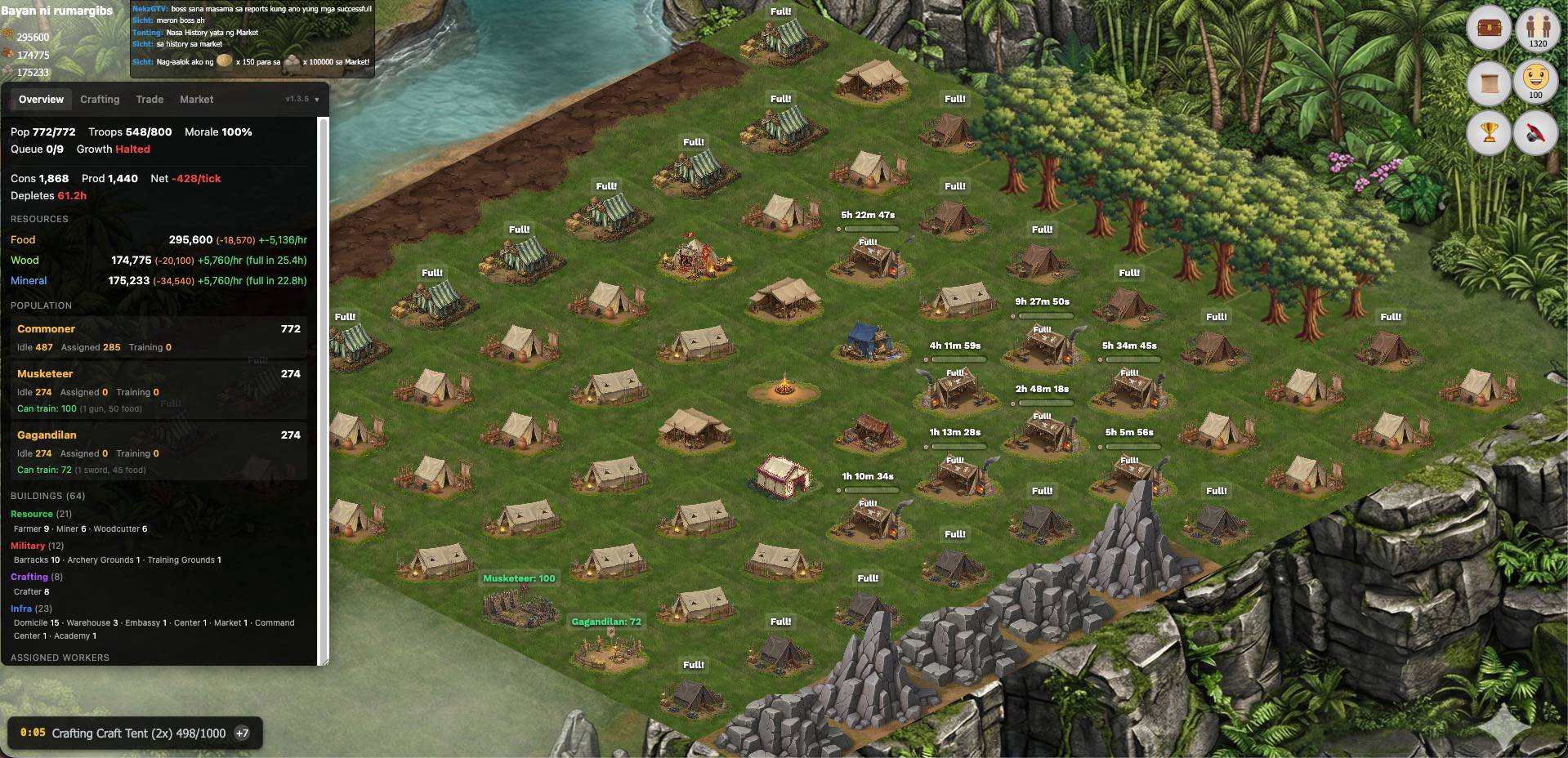
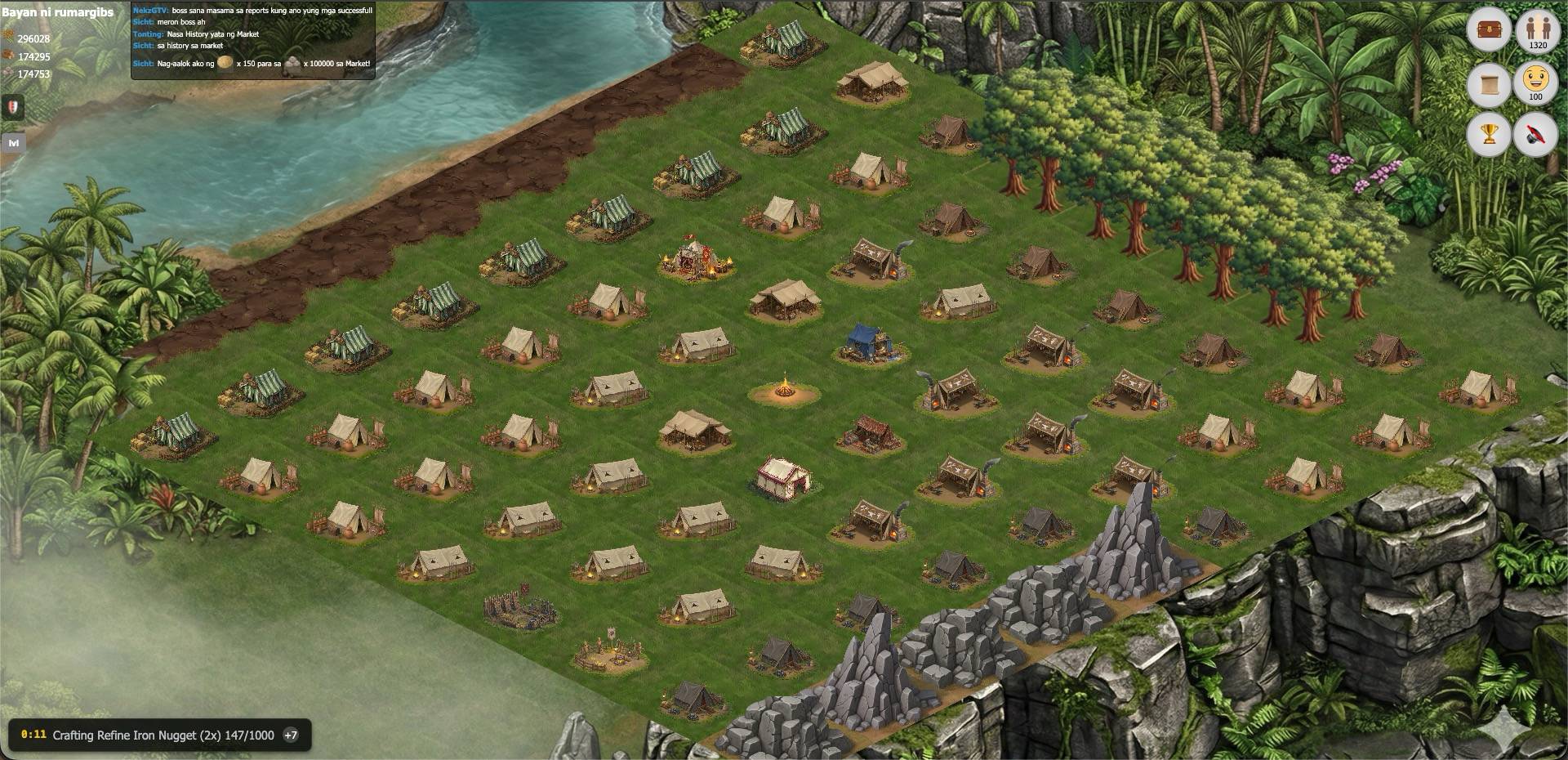
See the Difference
Drag the slider to compare the game without and with the overlay.
Installation
Get up and running in under a minute.
Enable Developer Mode Chrome only
Chrome requires Developer Mode for Tampermonkey to inject scripts correctly. Without it, the overlay won't appear.
- Go to
chrome://extensions/ - Enable the Developer mode toggle in the top-right corner
One-time setup. Firefox and Edge users can skip this step — want the easiest install? Use Firefox.
Install the Overlay Script
Click here to install the script — Tampermonkey will open an installation prompt.
Confirm Installation
Click "Install" on the Tampermonkey prompt. The script will be added to your userscript manager automatically.
Open the Game
Navigate to war.add.ph and open your town. The overlay panel appears automatically on the left side.
Features
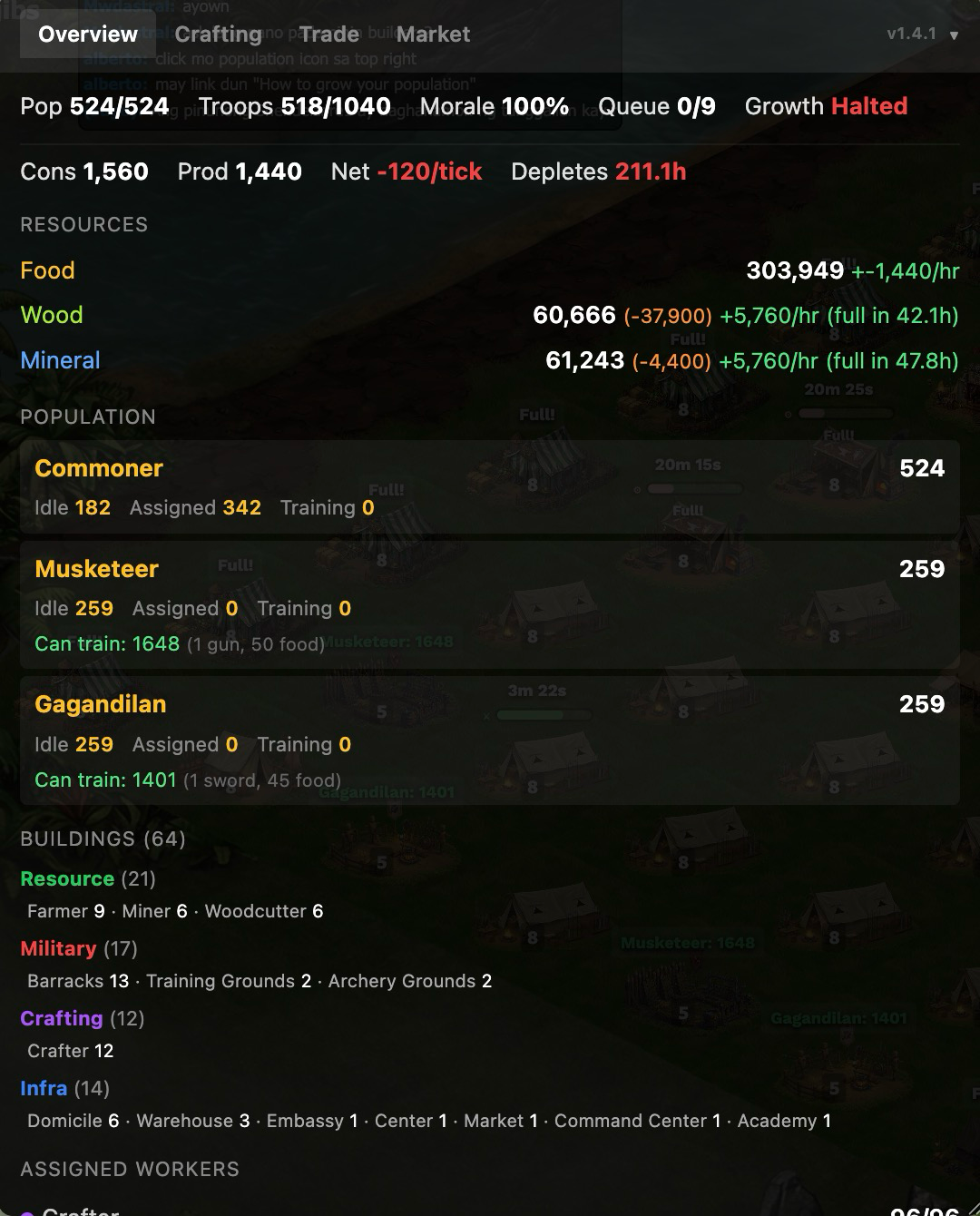
Town Overview Dashboard
See everything about your town at a glance. Population, morale, troop capacity, building queue status, and growth indicators — all in one panel.
- Food economy with consumption vs. production rates and time-to-depletion
- Resource tracking with withheld amounts and hourly production
- Population breakdown by type with idle, assigned, and training counts
- Building summary grouped by category with worker assignments
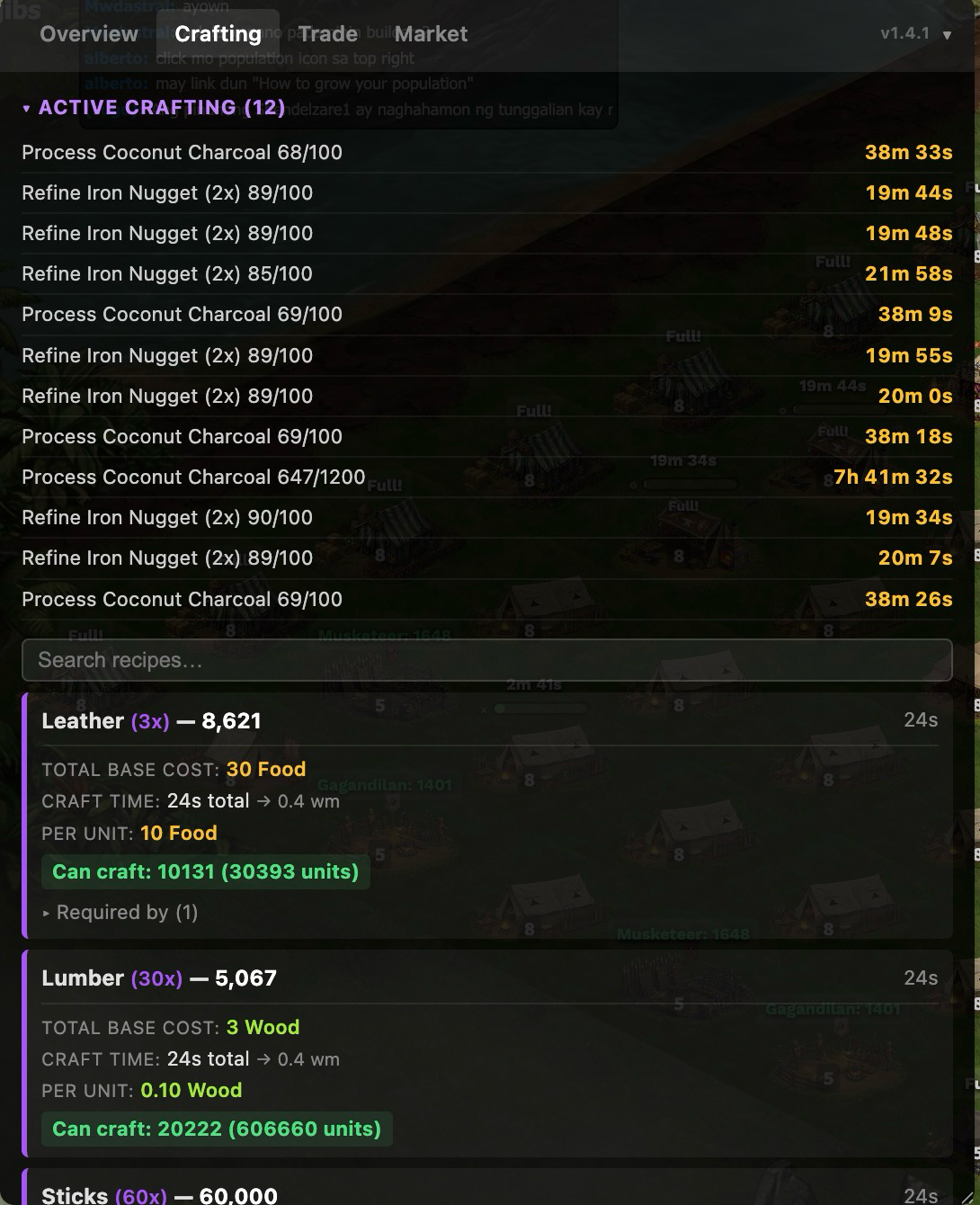
Crafting Tracker
Track all your active crafts with live countdowns and browse every recipe with full cost breakdowns, craftable amounts from your current inventory, and tribe-lock indicators.
- Active crafting queue with real-time M:SS countdowns
- Recipe search to quickly find what you need
- Total base cost, craft time, and per-unit cost for every recipe
- Tribe-exclusive recipes clearly marked with badges
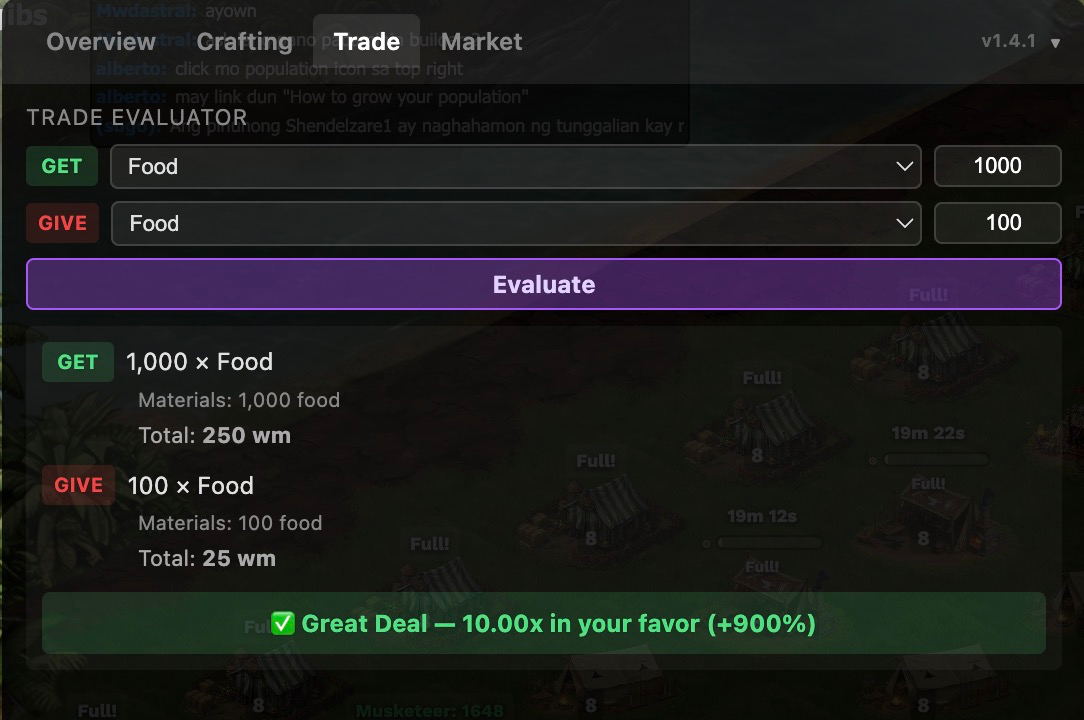
Trade Evaluator
Never get ripped off again. The trade evaluator calculates the worker-minute value of both sides of any trade and gives you an instant verdict.
- Worker-minute (WM) valuation for every item in the game
- Color-coded verdicts: Great Deal, Fair Trade, or Bad Deal
- Full material and craft time cost breakdown for both sides
- Tribal goods premium automatically factored in
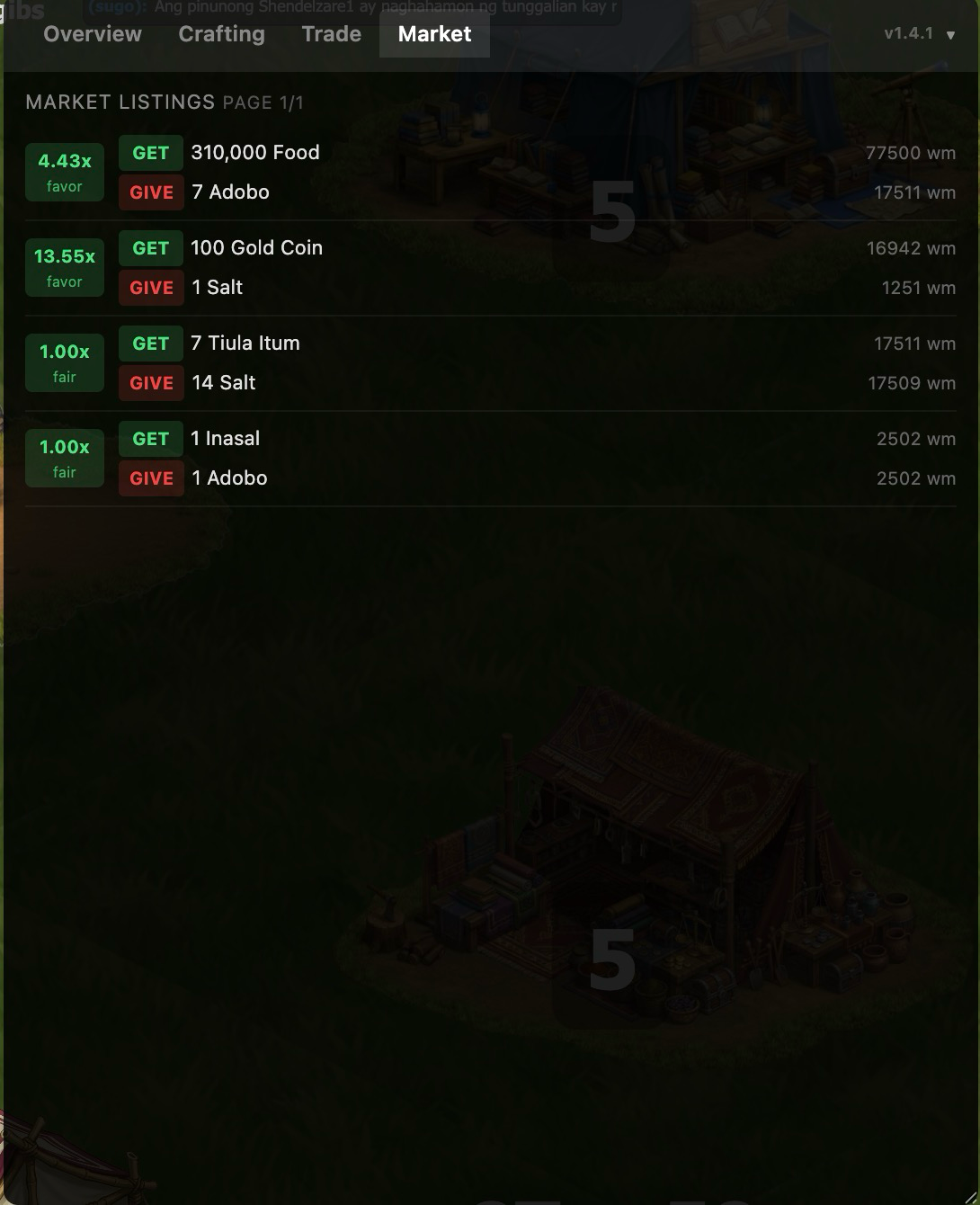
Market Monitor
View all active market listings from your trading posts with color-coded trade ratios. Data is captured automatically from the game — no manual entry needed.
- Market listings with GET/GIVE amounts and WM values
- Trade ratio badges showing deal quality at a glance
- Automatic data capture from game API interactions
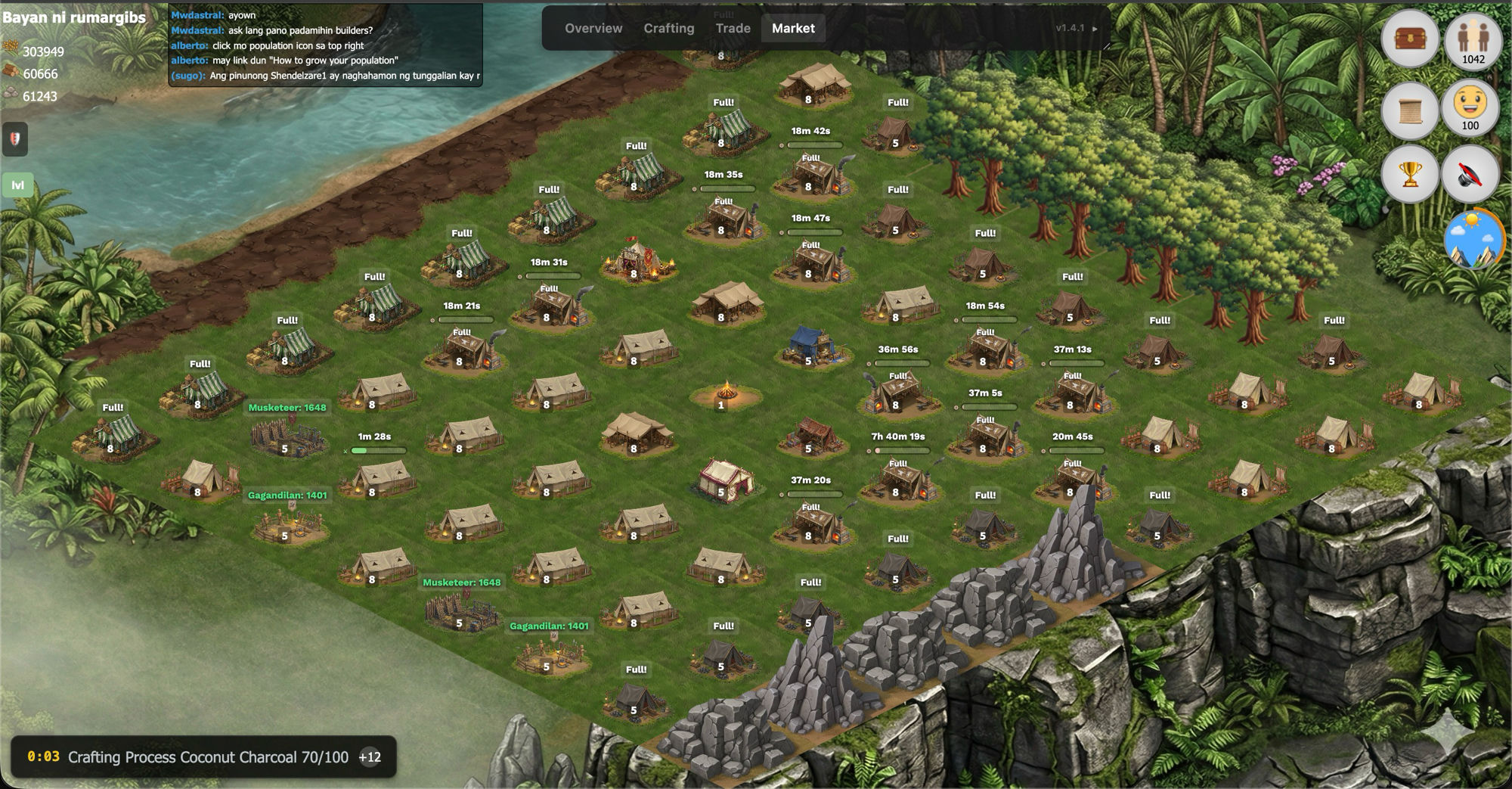
Building Badges
Floating labels right on the game map show worker counts, crafting timers, construction progress, and capacity status for every building in your town.
- Worker assignment counts on every production building
- Live crafting and construction timers with progress bars
- Training timers at military buildings
- "Full!" indicators when buildings are at max capacity
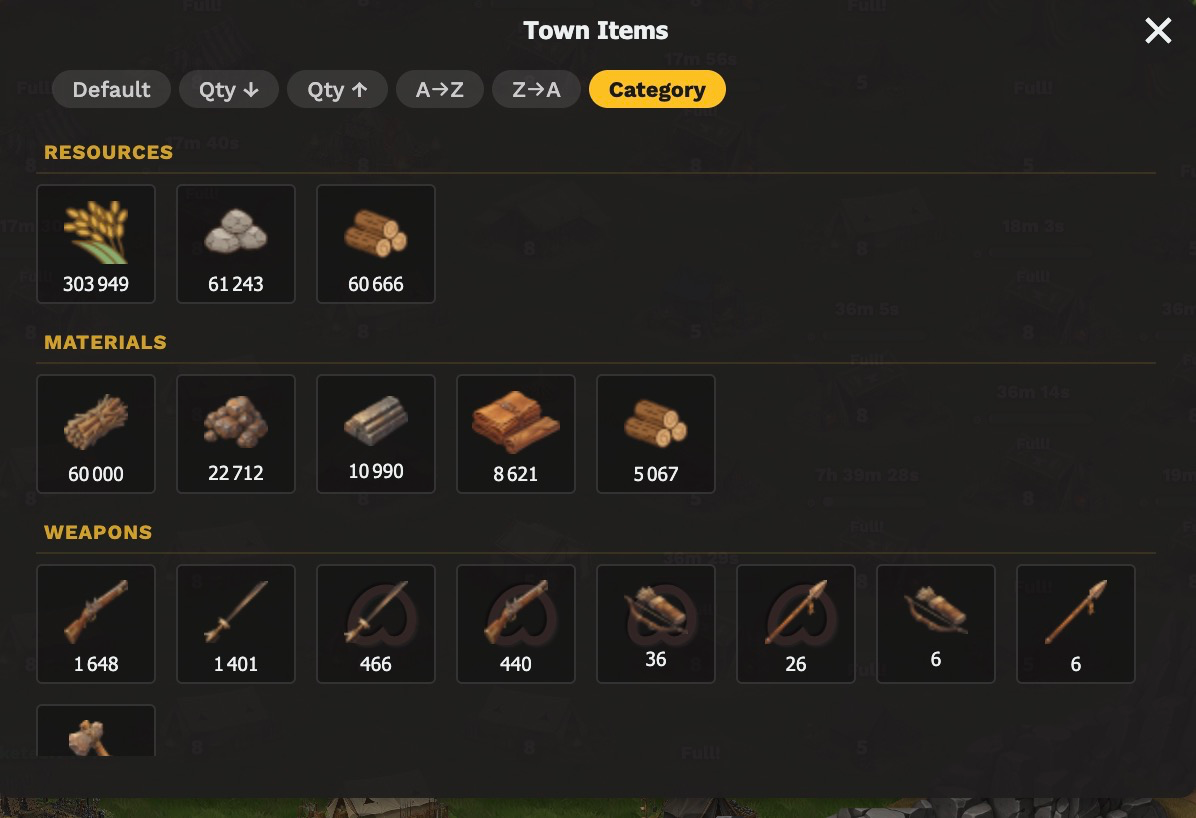
Inventory Sorting
Sort your Town Items modal by quantity, name, or category. The overlay adds sorting buttons and category grouping with dividers — making it easy to find what you need.
- Sort by quantity (high/low), alphabetical (A-Z/Z-A), or category
- Category groups: Resources, Materials, Weapons, Tribal Locked, Other
- Locale-aware number formatting for large quantities
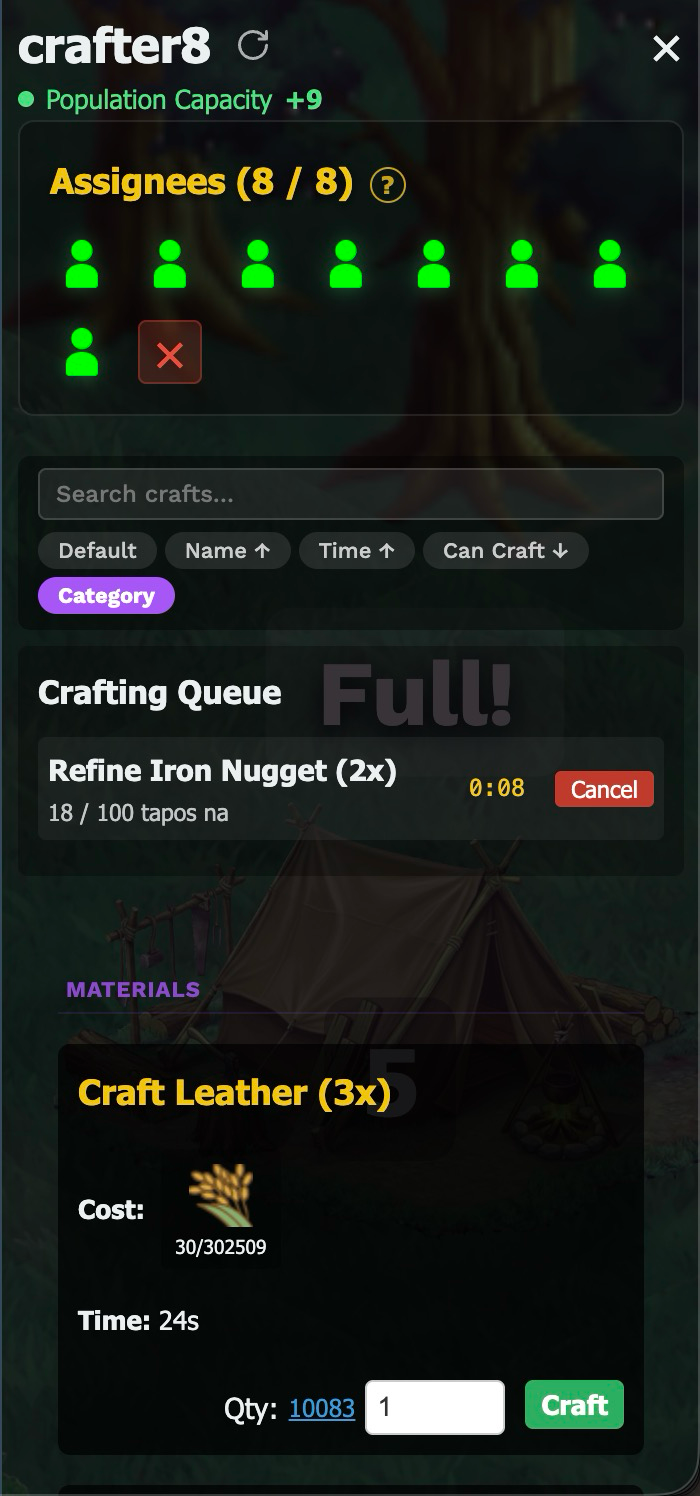
Crafting Building Enhanced
The overlay enhances in-game crafting buildings with search, sorting, and category grouping. See your crafting queue, costs, and craftable quantities all in one place.
- Search and filter recipes inside the crafting building
- Sort by name, craft time, or craftable amount
- Category grouping for quick navigation
- Live crafting queue with countdown timers and cancel buttons
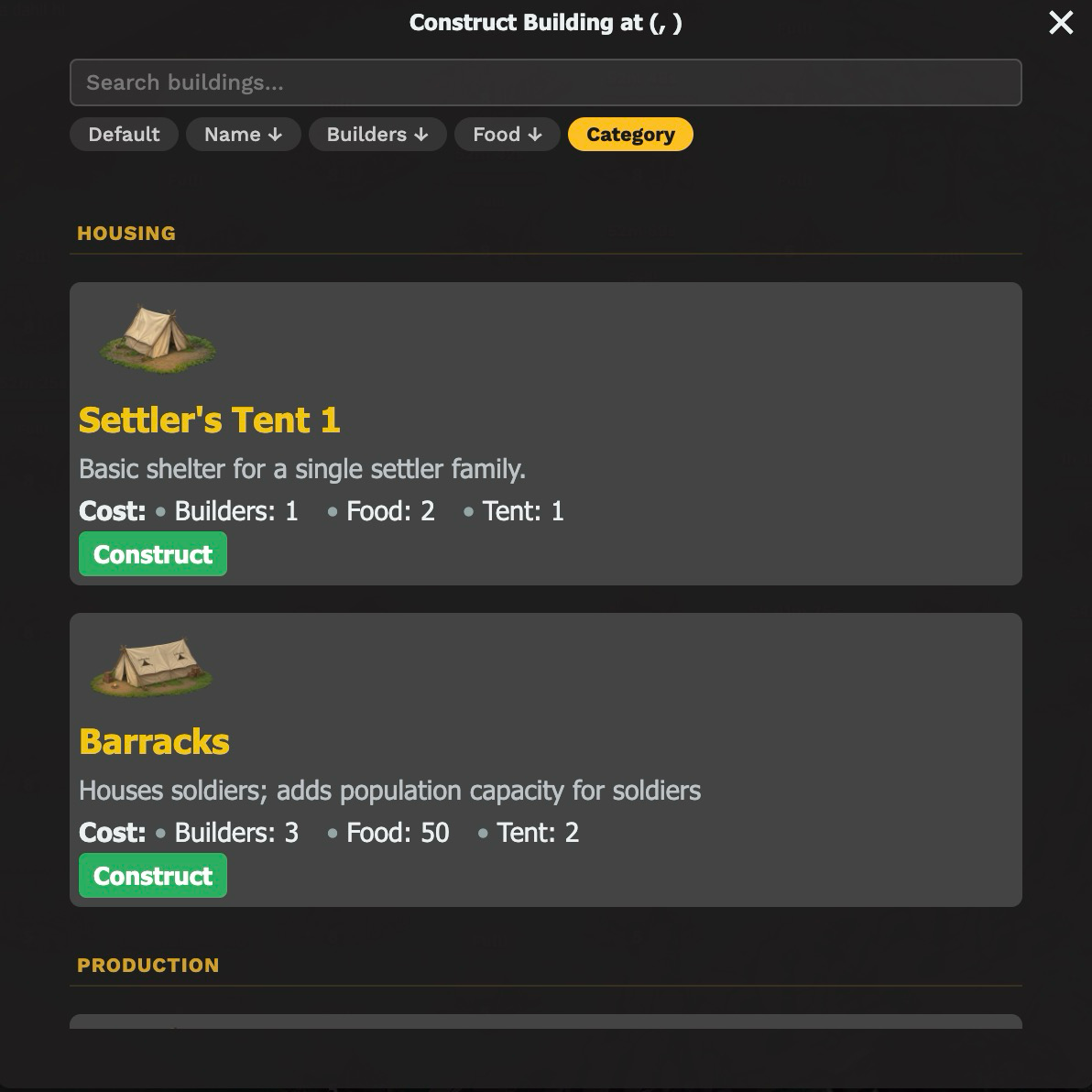
Construction Building Enhanced
Browse available buildings with search, sorting, and category grouping when constructing. See costs, builder requirements, and descriptions at a glance.
- Search buildings by name
- Sort by name, builder cost, or food cost
- Category groups: Housing, Production, Military, and more
- Building images, descriptions, and full cost breakdowns
FAQ
Common questions about the overlay.
Why does Chrome require Developer Mode?
Chrome's Manifest V3 extension restrictions prevent Tampermonkey from injecting scripts early enough to intercept the game's API calls — unless Developer Mode is enabled. Without it, the overlay won't appear even if the script is installed.
This is a one-time setup: go to chrome://extensions/ and enable the
Developer mode toggle in the top-right corner.
Firefox and Edge users are not affected.
Does this work on all browsers?
Yes — any browser that supports the Tampermonkey extension. This includes Chrome, Firefox, Edge, Safari (with limitations), and most Chromium-based browsers like Brave and Opera.
Will I get banned for using this?
The overlay is completely read-only. It does not automate any actions, send any requests, or modify game behavior. It only reads data that the game already sends to your browser and displays it in a convenient panel.
How do I update to the latest version?
Tampermonkey checks for updates automatically using the script's
@updateURL. You can also manually check by going to
Tampermonkey Dashboard → select the script → click "Check for updates".
The current version is displayed in the overlay's top-right corner.
Which tribes have exclusive recipes?
Some recipes can only be crafted by specific tribes:
- Salt — Sugbuanon exclusive
- Gold Dust — Taga-Ilog exclusive
If a recipe is locked for your tribe, the overlay marks it with a tribe badge and lists it as an external ingredient in recipe chains. You'll need to trade for these items.
How is trade value calculated?
The overlay uses a worker-minutes (WM) system. Base materials have fixed rates:
- Food: 0.25 WM per unit
- Wood: 0.3125 WM per unit
- Mineral: 0.3125 WM per unit
Crafted items add their raw material cost plus craft time (1 WM per minute per worker). The trade evaluator compares the total WM of both sides and gives a verdict based on the ratio.